Vision-Based Finger Snap Detection
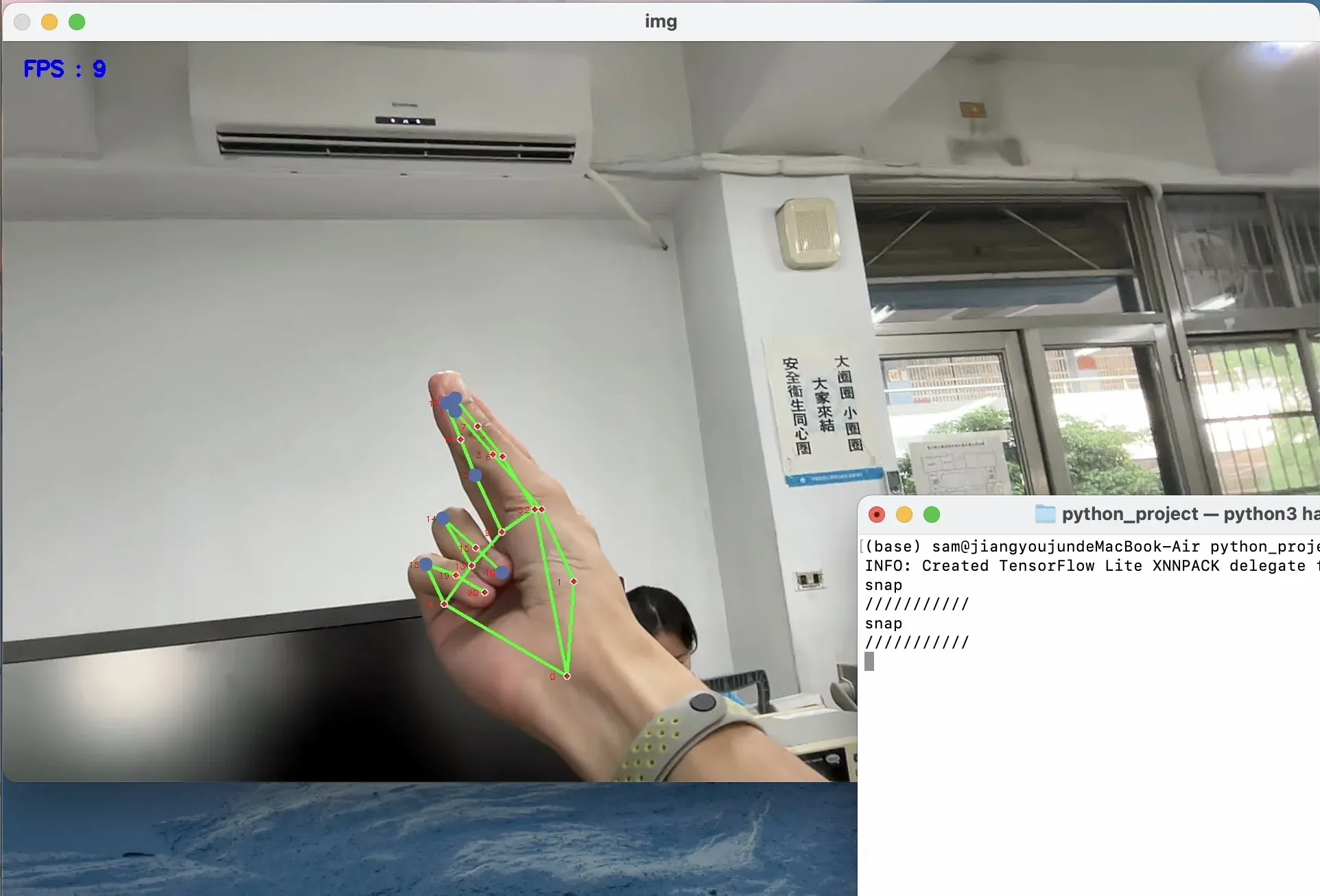
First-person finger snap detection, meant for things like smart glasses, so you could pull off cool moves like snapping to turn on the lights.
'%3e%3crect%20x='0'%20y='0'%20width='240'%20height='60'%20fill='%23FFD23F'%20fill-opacity='.8'/%3e%3crect%20x='0'%20y='0'%20width='240'%20height='60'%20fill='url(%23washi-yellow-p)'%20fill-opacity='1'/%3e%3crect%20x='0'%20y='0'%20width='240'%20height='60'%20fill='url(%23washi-yellow-sheen)'/%3e%3cpath%20d='M0%20.6H240'%20stroke='%23fff'%20stroke-opacity='.45'%20stroke-width='1.2'/%3e%3cpath%20d='M0%2059.4H240'%20stroke='%23F2B91A'%20stroke-opacity='.35'%20stroke-width='1.2'/%3e%3cpath%20d='M5.0%200.0%20L234.8%200%20L232.1%202.2%20L235.0%204.4%20L232.1%206.5%20L235.8%208.5%20L231.9%2010.5%20L237.0%2012.5%20L232.1%2014.3%20L234.6%2016.1%20L231.8%2017.8%20L237.5%2019.5%20L231.6%2022.1%20L234.9%2024.6%20L229.8%2026.8%20L236.6%2028.9%20L230.5%2030.7%20L235.2%2032.6%20L230.5%2034.3%20L234.5%2036.1%20L230.2%2038.3%20L235.3%2040.5%20L230.9%2043.0%20L235.3%2045.6%20L232.1%2047.6%20L235.0%2049.6%20L231.4%2051.2%20L236.8%2052.9%20L230.1%2054.8%20L235.6%2056.8%20L231.7%2059.4%20L236.6%2060.0%20L3.1%2060.0%20L9.8%2059.2%20L4.8%2057.4%20L7.6%2055.0%20L4.9%2052.5%20L8.5%2050.4%20L3.8%2048.3%20L10.3%2046.3%20L5.1%2044.2%20L8.0%2041.8%20L4.4%2039.4%20L7.8%2036.8%20L4.0%2034.3%20L7.6%2032.4%20L3.7%2030.4%20L9.7%2028.0%20L2.5%2025.5%20L8.2%2023.8%20L4.8%2022.2%20L7.7%2019.8%20L3.7%2017.4%20L7.5%2015.4%20L4.8%2013.5%20L9.0%2011.4%20L3.1%209.3%20L8.1%206.9%20L4.1%204.5%20L9.6%202.2Z'%20fill='none'%20stroke='%23fff'%20stroke-opacity='.35'%20stroke-width='1.6'/%3e%3c/g%3e%3c/svg%3e)
'%3e%3crect%20x='0'%20y='0'%20width='240'%20height='60'%20fill='%232EC4B6'%20fill-opacity='.8'/%3e%3crect%20x='0'%20y='0'%20width='240'%20height='60'%20fill='url(%23washi-mint-p)'%20fill-opacity='.75'/%3e%3crect%20x='0'%20y='0'%20width='240'%20height='60'%20fill='url(%23washi-mint-sheen)'/%3e%3cpath%20d='M0%20.6H240'%20stroke='%23fff'%20stroke-opacity='.45'%20stroke-width='1.2'/%3e%3cpath%20d='M0%2059.4H240'%20stroke='%231FA396'%20stroke-opacity='.35'%20stroke-width='1.2'/%3e%3cpath%20d='M4.8%200.0%20L236.2%200%20L231.2%202.2%20L235.1%204.4%20L230.1%206.8%20L236.5%209.2%20L232.0%2011.3%20L235.5%2013.4%20L231.8%2016.0%20L237.5%2018.6%20L232.4%2021.0%20L236.3%2023.5%20L231.4%2025.4%20L236.5%2027.2%20L231.1%2029.5%20L236.5%2031.8%20L232.1%2034.2%20L237.4%2036.5%20L229.6%2038.8%20L234.6%2041.0%20L232.5%2042.7%20L237.3%2044.4%20L231.6%2046.4%20L237.2%2048.4%20L231.6%2050.5%20L235.8%2052.7%20L232.3%2054.9%20L237.0%2057.0%20L232.0%2058.9%20L235.2%2060.0%20L4.8%2060.0%20L8.4%2060.0%20L3.6%2060.0%20L10.4%2057.9%20L4.8%2055.9%20L7.8%2054.2%20L2.9%2052.4%20L8.8%2049.9%20L3.1%2047.3%20L10.3%2045.4%20L3.4%2043.4%20L9.7%2040.9%20L4.1%2038.4%20L7.6%2035.9%20L4.6%2033.5%20L9.8%2031.3%20L5.3%2029.1%20L9.7%2026.8%20L3.9%2024.5%20L9.4%2022.1%20L5.0%2019.6%20L8.9%2017.4%20L3.0%2015.1%20L10.5%2013.1%20L4.8%2011.0%20L10.0%209.1%20L5.5%207.3%20L9.4%205.6%20L3.7%203.9%20L9.1%202.0Z'%20fill='none'%20stroke='%23fff'%20stroke-opacity='.35'%20stroke-width='1.6'/%3e%3c/g%3e%3c/svg%3e)
Background
This started as gesture control for a pair of smart glasses I wanted to build. I had use cases in mind like snapping your fingers to turn on the lights, but we ran out of money and the project stalled. I even wanted to add more gestures like double taps and pinches. If I’d actually finished it, it might have been, like, 5% of an Apple Vision Pro 😅
How It Works
- Grab a frame from the camera with OpenCV
- Run MediaPipe’s hand landmark model to get the keypoint coordinates
- Check whether the tips of the index finger, middle finger and thumb are close together, and whether the ring finger is far from the index finger
- If so, check whether the middle finger then moves far away from the index finger, and if both motions happen within 0.3 seconds, count it as one complete snap
The Smart Glasses Plan
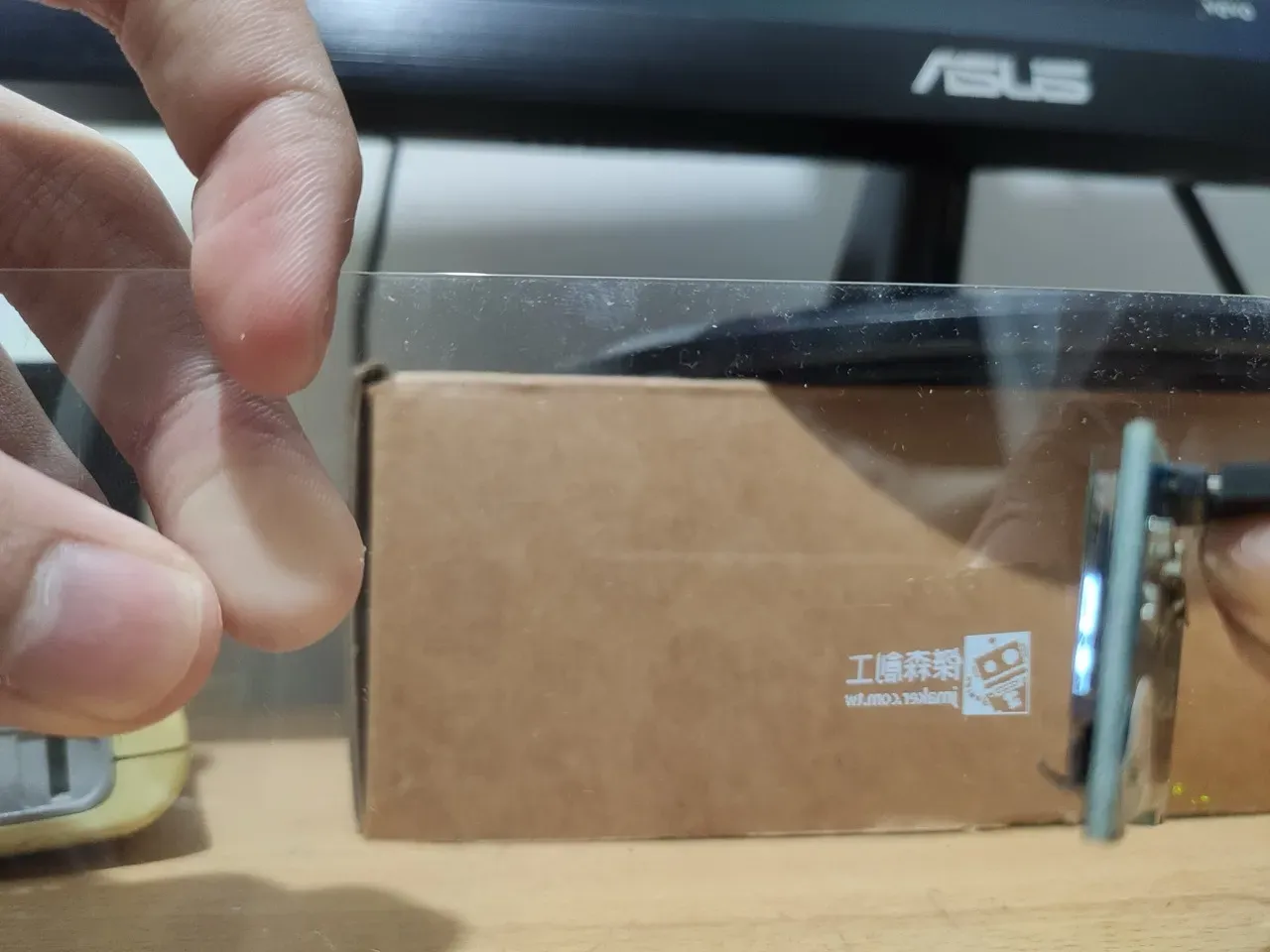
I figured that putting a screen directly in front of the lenses would be too close to the eye, so you’d have to strain to focus on it and it wouldn’t be comfortable to look at. I’d also thought about pulling the backlight off an LCD to make a see-through display, but whether that would even work, or how transparent it’d be, was anyone’s guess. Because of those bottlenecks, the final idea was to mount the screen at the back end of the glasses’ arm and use a piece of glass at the front to reflect the screen’s light onto the lens.
Even with the display sorted out, there was still the battery and the processor to deal with. Our plan was to run a cable down to a belt carrying the battery and a Raspberry Pi, but sadly a Raspberry Pi was a bit over our budget back then 😅 Funny enough, the Apple Vision Pro ended up using the same approach for its battery, and watching the keynote made me feel a little smug 😂
Reflections
This gesture recognition project was basically my practice project when I was first learning Python. Looking back there’s a lot I’d cringe at, but I’ll never forget how excited I was the first time I snapped my fingers and the terminal printed “snap”. It was also my first time using MediaPipe, Google’s easy-to-use and accurate ML toolkit, and I’ve used it a lot since to quickly build fun stuff.
Even though I never fully built the smart glasses, I learned a lot, like where the technical bottlenecks for smart glasses are, and how hard it is to pack serious computing power into something as small as a pair of glasses.
If I were doing this project today, I’d probably put an ESP32-CAM on the glasses and stream the video back to an iOS app I’d write in Swift. That way I could use the powerful A-series chip and even control other apps on the phone, which beats the old Raspberry Pi plan by a mile.